
Warrenville, IL Drivers—How the 2026 Mitsubishi Outlander’s Multi-View Camera and Smart Displays Make Parking Effortless
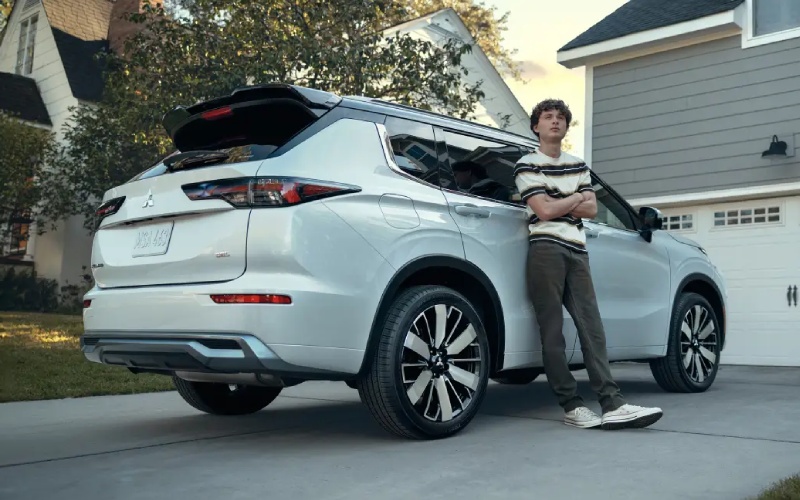
Motor Cars Mitsubishi – Warrenville, IL Drivers—How the 2026 Mitsubishi Outlander’s Multi-View Camera and Smart Displays Make Parking Effortless
Parallel spots near the Prairie Path trailheads, tight angles around the Cantera area, and busy grocery lots off Butterfield Road—parking in and around Warrenville, IL can be a daily puzzle. The 2026 Mitsubishi Outlander solves that puzzle with smart tech that feels like a co-pilot: an available Multi-View Camera System and a clean, intuitive 12.3-inch Smartphone-link Display Audio with Navigation. Together, they help you see more, steer with precision, and settle into tight spaces with calm, repeatable confidence.
What stands out is how naturally the Outlander’s tech fits into your routine. When you’re easing into a street spot along Batavia Road, the bird’s-eye composite view removes guesswork, while front and rear perspectives help you judge curbs and painted lines. The large center display presents crisp, high-contrast visuals, and the camera system’s angles update quickly as you turn the wheel. It’s the kind of technology that turns into muscle memory—you glance, you guide, you’re in.
What the Multi-View Camera System Shows—and Why It Matters
The value is in both the coverage and the clarity. On select trims, the 360-degree view stitches feeds from around the Outlander into a single, overhead image. You can also toggle front and rear views to catch low obstacles or bollards that sit below mirror level. Warrenville drivers who frequent trail parking at Blackwell Forest Preserve or St. James Farm will appreciate this precision; these areas often have uneven borders, stone curbs, or narrow pull-offs that reward a careful approach.
- Top-Down View: A stitched, overhead look at your Outlander and the lines or curbs around it
- Front Camera: Low, close-in visibility for curbs, wheel stops, and tight garage clearances
- Rear Camera: Crisp guidance when backing into a space or aligning with a trailer
- Dynamic Guidelines: Projected path adjusts as you steer for intuitive alignment
There’s also an everyday benefit you notice immediately—less neck craning and fewer second guesses. When you can see the front corners, rear corners, and sides without leaning, you park more confidently and consistently. That consistency reduces door-ding risk in crowded lots along Route 59 and keeps your wheels and tires happier over the long haul.
Display Design That Feels Familiar on Day One
The Outlander’s standard wireless Apple CarPlay® and wireless Android Auto™ are just the start. The way the 12.3-inch Smartphone-link Display Audio with Navigation presents information makes a difference: crisp mapping for plaza lots and office parks, large touch targets that are easy to read at a glance, and quick access to camera angles as you shift. When you’re navigating the morning commute, you can keep your preferred layout front-and-center; when it’s time to park, the system pivots quickly to help you settle in.
We’ve found this approach especially helpful in multi-stop errands common around Warrenville. Between quick lunches in Cantera and evening grocery runs, you’re in and out of spots frequently. Tech that reduces little frictions—like switching between maps, music, and camera views—adds up to a calmer day behind the wheel.
How Driver Assistance Complements Parking Tech
The available MI-PILOT Assist™ with Navi-link Adaptive Cruise Control and lane support features earn a lot of attention on the highway, but several standard driver aids shine at parking speeds. Rear Automatic Emergency Braking, Rear Cross Traffic Alert, and Blind Spot Warning with Lane Change Assist form a helpful backstop in busy lots. Think of the Multi-View Camera System as the “see more” tool, while these sensors work as “safety nets” when a pedestrian darts past a row or a cart slips into your path.
For households balancing school drop-offs near Butterfield Elementary and after-school programs, this blend of visibility and vigilance is welcome. It’s not about replacing your attention—it’s about giving you a fuller picture and timely prompts when you need them most.
Everyday Tips to Get the Most from Your Outlander’s Camera Views
If you’re new to a 360-degree camera, a few habits make it feel second nature within a day or two. Try these simple steps the next time you park near Warrenville’s library or the recreation center.
- Approach Slowly: Give the system time to update angles and guidelines smoothly as you steer
- Use Top-Down First: Establish your left-right placement before switching to a front or rear close-up
- Mind the Corners: Watch front and rear corners in tight slots to protect wheels and painted bumpers
- Confirm With Mirrors: The camera supplements your view—combine both for the most confidence
Once you build the habit, you’ll likely use the camera automatically, especially when slipping into compact spaces or backing toward a curb that’s tough to judge from the driver’s seat. Over time, it helps keep your Outlander looking fresh—fewer scuffs, fewer scrapes, more peace of mind.
Of course, the camera system doesn’t stand alone. The Outlander’s available S-AWC, balanced steering, and tight turning circle help you maneuver gracefully at low speeds. It feels composed and predictable, which makes parking a smoother, less dramatic part of the drive. And if you queue for a spot after a weekend event, the calm ride and quiet cabin make the wait a little easier.
Frequently Asked Questions:
Which Outlander trims offer the Multi-View Camera System?
The Multi-View Camera System is available on select trims, including models with added convenience and technology packages. Our team can show you in-stock options so you can compare camera coverage and other features side by side.
Does the 360-degree camera record video?
The Multi-View Camera System is designed for low-speed maneuvering and parking assistance. It displays real-time surroundings to help you position the vehicle but is not intended as a dashcam or recording device.
Can I switch camera angles manually?
Yes. You can toggle available views on the center display to focus on top-down, front, or rear perspectives depending on the maneuver. Many drivers use the top-down view to align within lines and then switch to a close-up view to manage curbs or obstacles.
When you’re ready to see how this technology comes together in real-life Warrenville driving—think tight downtown spots, busy shopping lots, and evening activities—we’ll set up a hands-on demo. You can practice with a few angles, test dynamic guidelines, and feel how smoothly the 2026 Outlander responds to small inputs. It’s the kind of short drive that pays off quickly: calmer parking, cleaner alignments, and a routine that simply feels easier.
We’re proud to be a resource for families and commuters across the Route 59 corridor, serving Warrenville, Oswego, and North Aurora with knowledgeable guidance and a lineup that’s built around everyday usability. If you’re comparing trims or considering additional tech like the available Dynamic Sound Yamaha® Ultimate system, we’ll help you match features to your priorities so you enjoy every mile—and every parking maneuver—around town.
Motor Cars Mitsubishi has one straightforward goal when we demonstrate the Outlander’s camera and display tech: make it easy to understand and even easier to use. Bring your daily route and your toughest parking test, and we’ll help you dial in the settings that fit your routine. Once you’ve felt how naturally the system guides you into a spot, you’ll wonder how you ever parked without it.
0 comment(s) so far on Warrenville, IL Drivers—How the 2026 Mitsubishi Outlander’s Multi-View Camera and Smart Displays Make Parking Effortless